Print Australian passport photos that pass APO checks
Many Australian applications still expect two identical high-quality printed photos that meet Australian Passport Office (APO) size and quality rules—not a stretched phone screenshot. This guide covers the print path after a correct AU crop: Officeworks and Australia Post style kiosks, home A4 printing, cutting and measuring, and packing prints flat for lodgement. Confirm current millimetre ranges and paper notes on passports.gov.au before you spend on sheets.
APO size first: what “passport print” really means
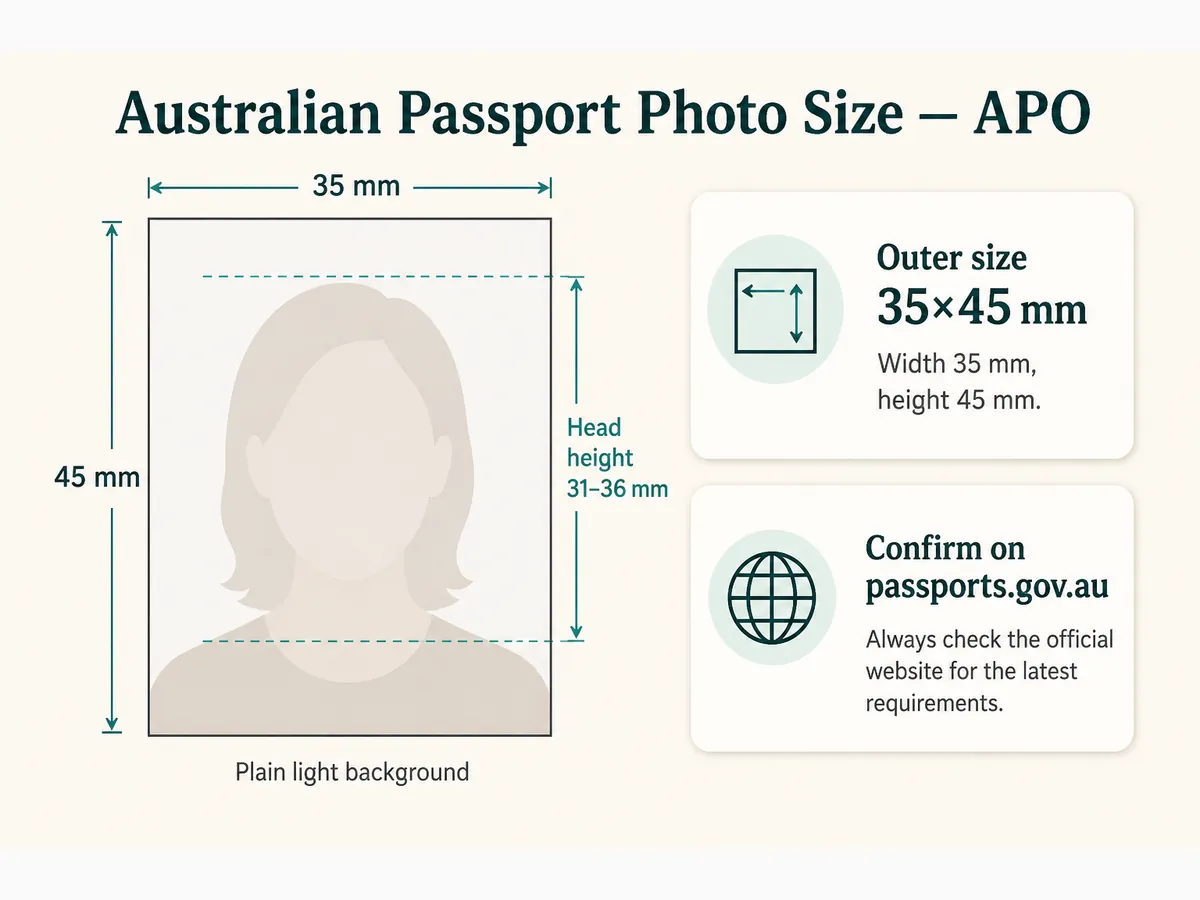
APO publishes print size ranges (commonly discussed as about 35–40 mm wide by 45–50 mm high) and a chin-to-crown band around 32–36 mm. Our Australia 35×45 template is a practical crop target—always verify the live numbers on passports.gov.au for your form.
Two identical colour prints are typical for paper lodgement. Photos are often expected to be recent (commonly within six months). Digital-only channels, when available, follow separate file rules—do not assume prints replace a required upload.
Crop before you print. Trimming an uncropped phone image by eye is the most common DIY failure at Officeworks counters.
- Confirm APO outer size and head-height notes for your form
- Two identical prints when the form asks for them
- Colour photo on photographic paper
- Recent likeness—follow APO recency wording
4×6 sheets for Officeworks and retail kiosks
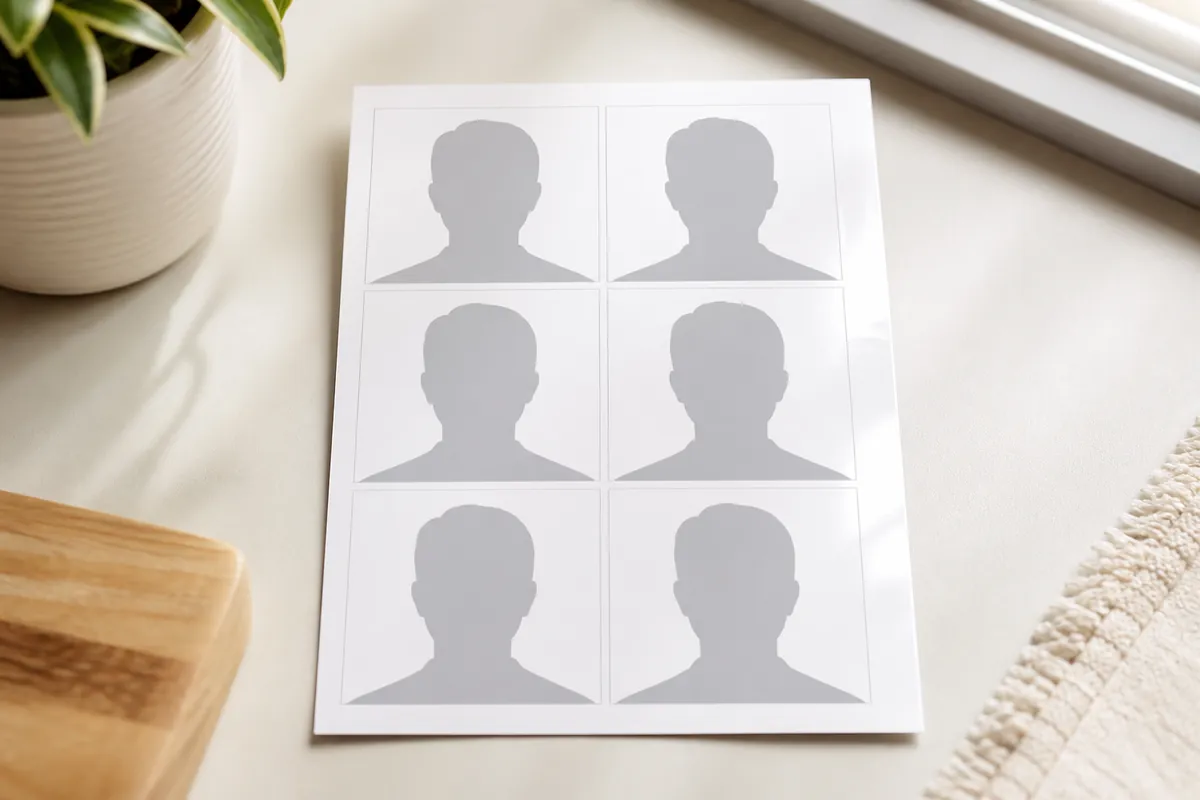
After cropping to Australia 35×45 in our passport photo maker, pick a print sheet on the preview step. 4×6 / 10×15 cm is the retail default. Preview shows how many copies fit; you still typically submit only two identical finals.
Upload JPG through Officeworks, Kmart Photo, or similar apps—or print at 100% at home. “Fit to page” shrinks millimetres without warning.
Use photo paper. Plain office stock fails quality expectations even when the cut size looks close.
- Select Australia 35×45 before cropping
- Choose 4×6 / 10×15 cm when using retail kiosks
- Print at 100% scale on photo paper
- Cut two identical finals; keep a spare
Officeworks, Australia Post, and Kmart printing paths
Officeworks is widely used for both in-store passport shoots and print-from-file. Australia Post outlets often offer passport photos while you prepare documents. Kmart Photo and other labs can print a file you already cropped.
Say “Australian passport photos per APO”—not a US square or a tourist “visa size” guess. If you supply your own crop, ask staff not to re-crop to another country’s template or apply beauty filters.
Compare price: a full staff shoot costs more than uploading a sheet you prepared at home. Call ahead—services differ by branch.
- Officeworks: file print or staff passport service
- Australia Post: convenient when lodging nearby
- Kmart / labs: good for sheet prints from your crop
- Inspect size with a ruler before you leave
Home printing on A4 photo paper
Australian home trays are usually A4. Match our A4 (or A5) layout to the paper loaded. Disable borderless stretch that secretly scales the image.
Draft on plain paper only to check position. Finals must be photographic stock with natural skin tone.
If colour casts persist, switch to a lab. Soft exports do not sharpen on paper—return to a better original.
- A4/A5 layout when that is your photo paper
- 100% scale; no fit-to-page
- Photo paper finals only
- Natural colour; no heavy retouching
Cutting, measuring, and matching identical pairs
Cut with a sharp blade and metal ruler or a photo cutter. After cutting, measure outer size and chin-to-crown against APO guidance.
Stack the two finals and hold them to the light—edges and face position should match. Mismatched “identical” prints are a quiet reason counters ask for a redo.
No creases, tears, wet ink, or writing on the face. Do not laminate.
- Outer size in APO range after cutting
- Chin-to-crown in the published millimetre band
- Two matching prints from the same crop
- Clean faces; no laminate
Background and colour that still look right on paper
APO guidance typically expects a plain white or light grey background with even light. A correct crop of a shadowed wall still fails.
Check prints under room light for banding, dust on the face, and colour casts. Replace a speckled print from your extras.
Wear a top that contrasts with the wall so shoulder edges stay visible after print.
A4 vs Letter and other supported sheet sizes
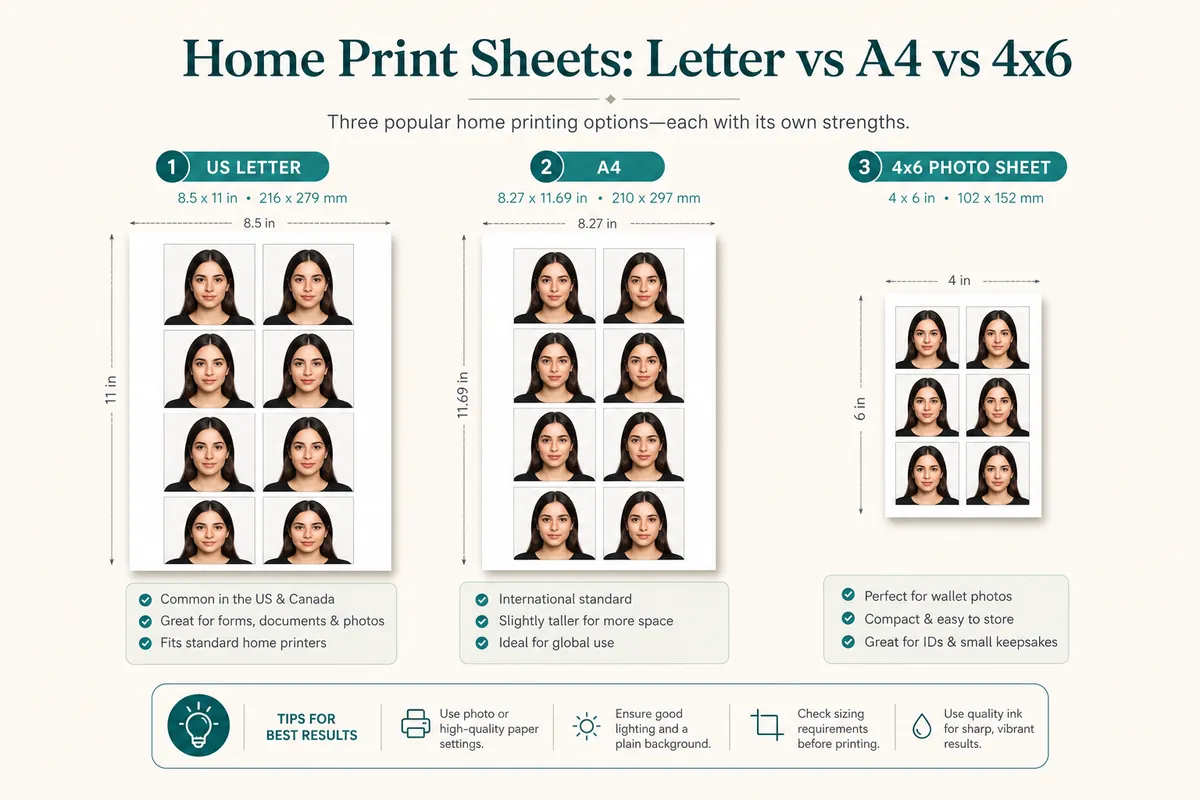
Supported layouts: single photo; portrait 3.5×5 / L-size, 4×6 / 10×15 cm, 5×7, 8×10, Letter, A5, A4; landscape counterparts. Preview shows copy counts for your Australian size.
Retail kiosks often use 6×4 / 4×6. Never mix Letter layout with A4 paper.
- Single photo download when you need one cut print
- 4×6 for Officeworks-style kiosks
- A4 / A5 for ISO home photo paper
- Letter only when Letter paper is loaded
Lodgement day: keep prints flat
Carry prints in a hard sleeve. Humidity and backpack folds ruin edges. Do not paper-clip through the face.
Place a paper separator between prints so ink does not offset in a warm car. Keep the cropped JPEG until the application is accepted.
If a counter rejects the set, ask which rule failed—size, background, or quality—so the next print is targeted.
Troubleshooting Australian print failures
Wrong outer size → 100% scale reprint with the correct sheet layout.
Head band wrong → re-crop with AU guides; do not hand-trim hoping it looks close.
Soft or cast colour → sharper source or a retail lab; no beauty filters.
- Fit-to-page scaling
- US 2×2 template used by mistake
- Office paper instead of photo paper
- Letter layout on A4 paper
- Cutting before ink is dry
Ready to crop your photo?
Free online tool—pick your country template (US 2×2 or UK 35×45), align your head, and download. No account needed.
Need a print layout, not eight copies of one crop?
Use the free print sheet composer when photos are already sized—or when family members share one drugstore sheet. Same document size per sheet.