Print UK passport photos that survive the post office check
Paper UK passport applications usually need two identical 35×45 mm prints to a professional standard—not a phone selfie taped to a form. This guide is the print workflow after you already have a correct UK crop: choosing home printer vs Tesco/Boots/Timpson kiosk, matching 4×6 and A4 sheets, cutting true millimetres, and packing prints so they arrive flat. Always confirm the latest printed-photo wording on gov.uk for your form; online GOV.UK routes often need a digital upload instead of prints.
Confirm you need prints (paper vs online GOV.UK)
Online GOV.UK passport applications typically upload a digital photo that passes the official photo check. Printed 35×45 mm photos are for paper routes—renewals or first applications that still go by post, and any form that explicitly asks for two identical prints.
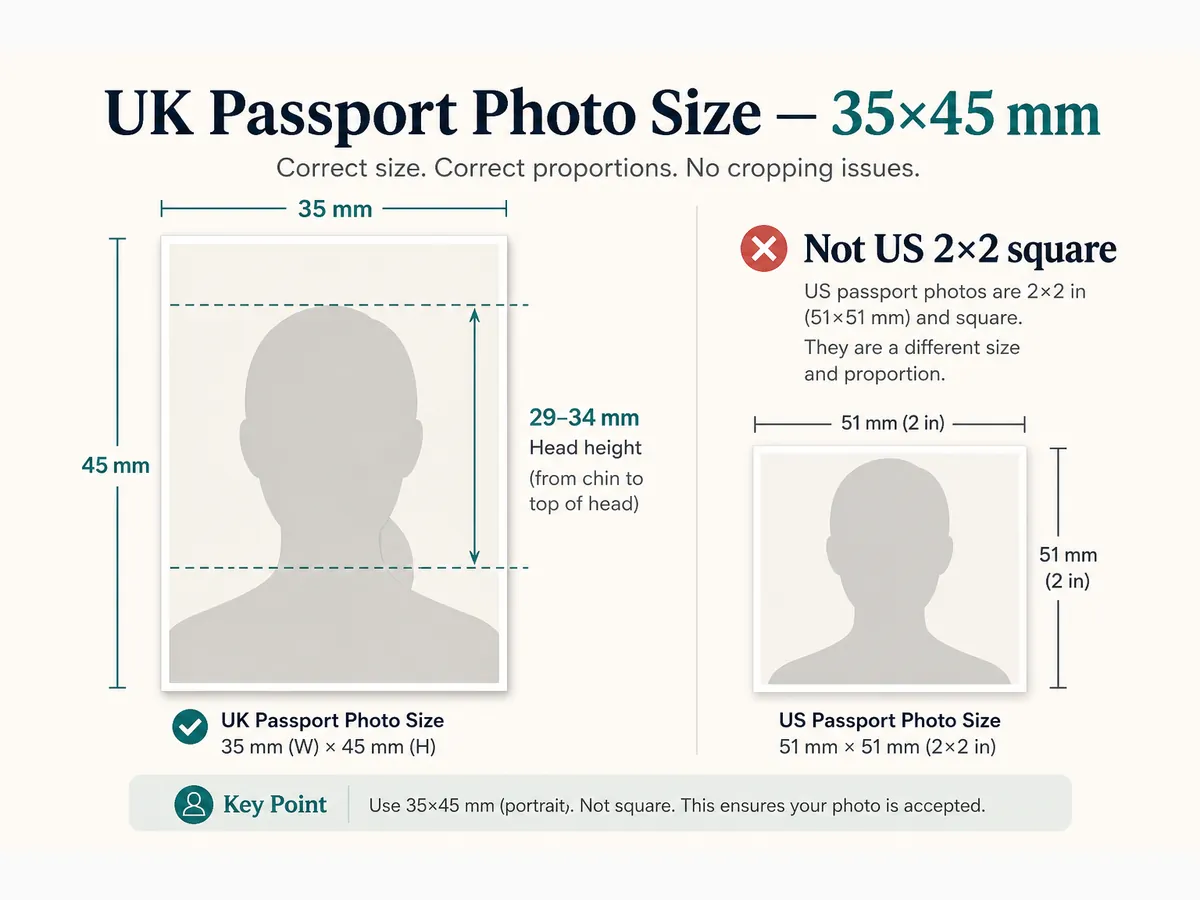
Printing cannot fix a soft face, a bright US-style white wall when cream/light grey is expected, or a head height outside 29–34 mm. Crop and check composition first; then print.
GOV.UK photographer guidance often notes that home inkjet prints may not be clear enough for facial biometrics. Many applicants use a booth or high-street lab for paper routes. If you DIY, use photographic paper and measure after cutting.
- Paper form → usually two identical 35×45 mm prints
- Online GOV.UK → digital upload (prints optional backup only)
- Outer size: 35 mm wide × 45 mm high
- Head height on the print: crown to chin 29–34 mm
4×6 / 10×15 cm multi-copy sheets for UK size
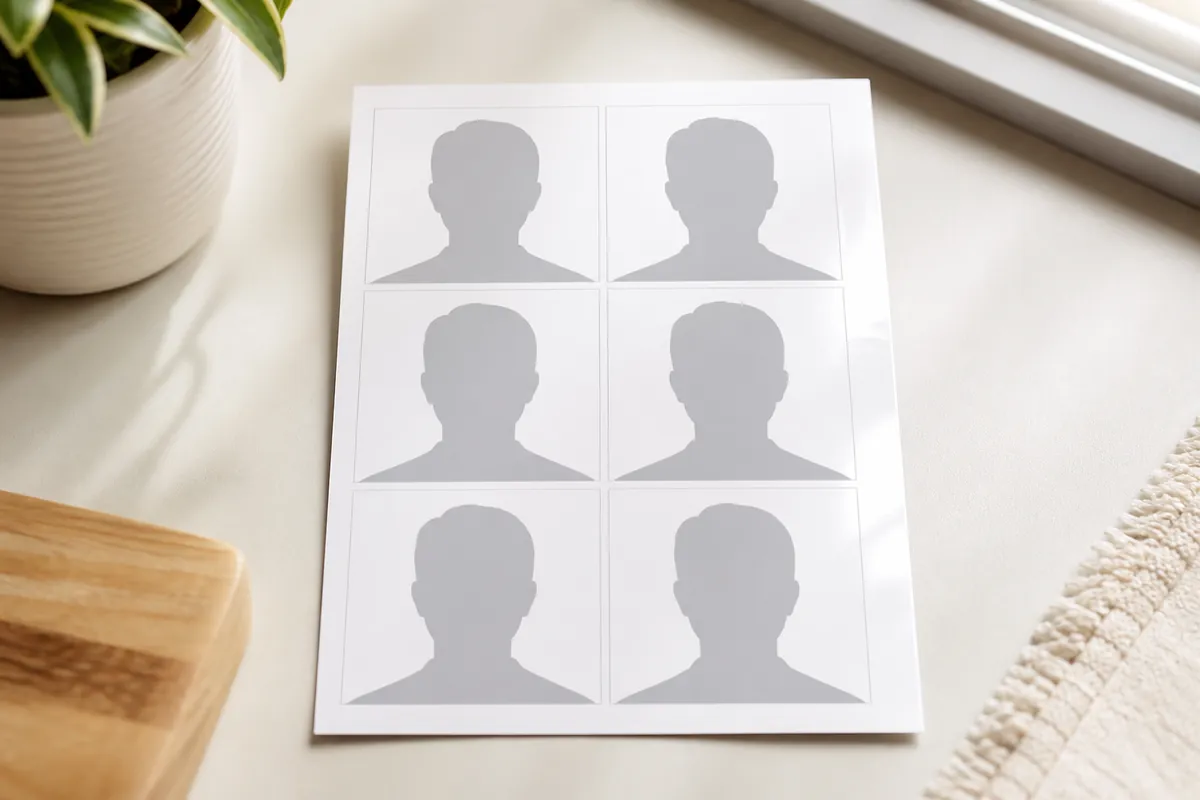
After cropping to UK 35×45 in our free tool, choose a print sheet layout on the preview step. A 4×6 inch (10×15 cm) sheet is what most UK high-street kiosks expect. A 6×4 landscape layout often fits eight identical 35×45 copies; portrait can show fewer. Your form still typically needs only two identical finals—see the eight-on-4×6 guide if that layout is what you want.
Download JPG for Tesco Photo, Boots, Snappy Snaps, and most kiosks, or PDF for many home printers. Print at actual size—100% scale. “Fit to page” silently shrinks millimetres and is the most common DIY fail.
Use photographic paper only. Ordinary office stock looks dull, shows banding, and may be refused even when the cut size looks right. Let ink dry before stacking or cutting.
- Select the UK 35×45 template before cropping
- On preview, pick 4×6 / 10×15 cm and note the copy count
- Print at 100% / actual size—never fit-to-page
- Cut two identical prints; keep extras for mis-cuts
Tesco, Boots, Timpson, and Snappy Snaps printing
Uploading your own cropped sheet is usually cheaper than buying a full in-store passport package. Tesco Photo and Boots photo services commonly accept phone uploads of a 6×4 / 4×6 file. Timpson and Snappy Snaps can print from a file or shoot you in store.
Say you need UK passport photos at 35×45 mm—not a US 2×2 or a generic “ID colour” product. Ask staff not to apply beauty filters. If you only need prints from a file you already cropped, decline a new booth shoot unless you want a retake.
Booth strips can work when each frame is truly 35×45. Pick the sharpest pair with a closed mouth and discard blinking or smiling frames even if the booth already charged you.
- Tesco / Boots: upload 4×6 sheet from our tool when available
- Timpson / Snappy: file print or staff shoot—confirm UK millimetres
- Ask for photo paper and no beauty filters
- Inspect the first sheet before you leave the counter
Home printer settings that keep true millimetres
UK home trays are usually A4 (or A5 packs). Match the layout in our tool to the paper in the tray. Disable borderless stretch modes that secretly scale the image. Borders you trim later are safer than hidden resize.
Print a cheap draft on plain paper only to check layout position—not as the final submission. Finals must be on photo paper with natural skin tone and sharp edges.
If faces look strongly orange or blue, adjust colour management or switch to a lab. Soft, pixelated exports will not improve on paper—return to a sharper source.
- Layout matches tray paper (A4 / A5 / 4×6 / Letter)
- 100% scale; no fit-to-page or shrink-to-fit
- Photo paper for finals; draft paper for layout tests only
- Natural colour; no heavy filters on the source file
Cutting, measuring, and countersignature backs
Use a sharp craft knife with a metal ruler, or a dedicated photo cutter. Ragged scissors edges look unprofessional and catch on form sleeves.
After cutting, measure 35×45 mm with a ruler. Crown-to-chin should land between 29 mm and 34 mm. If the head is wrong, re-crop digitally and reprint—do not stretch the paper print.
Do not write on the front. When your paper form needs a countersignature, follow GOV.UK wording on the back of one print only after you are happy with quality. Keep the second print clean and identical.
- True 35×45 mm after cutting
- Head height 29–34 mm on the print
- Two identical finals; no creases or wet ink
- Countersign only when your form requires it—and only on the back
Cream / light grey background must survive the print
UK printed guidance points to plain cream or light grey—not the bright US-style pure white many DIY walls use. A correct millimetre crop of the wrong background tone can still fail review.
Check the print under normal room light. Background should stay uniform with no head shadow. Reject colour-cast sheets even if size is perfect.
If the digital file looked cream but the print washed to white or grey mottling, reprint at a lab or retake against a flatter sheet.
A4 vs Letter and other sheet sizes this tool supports
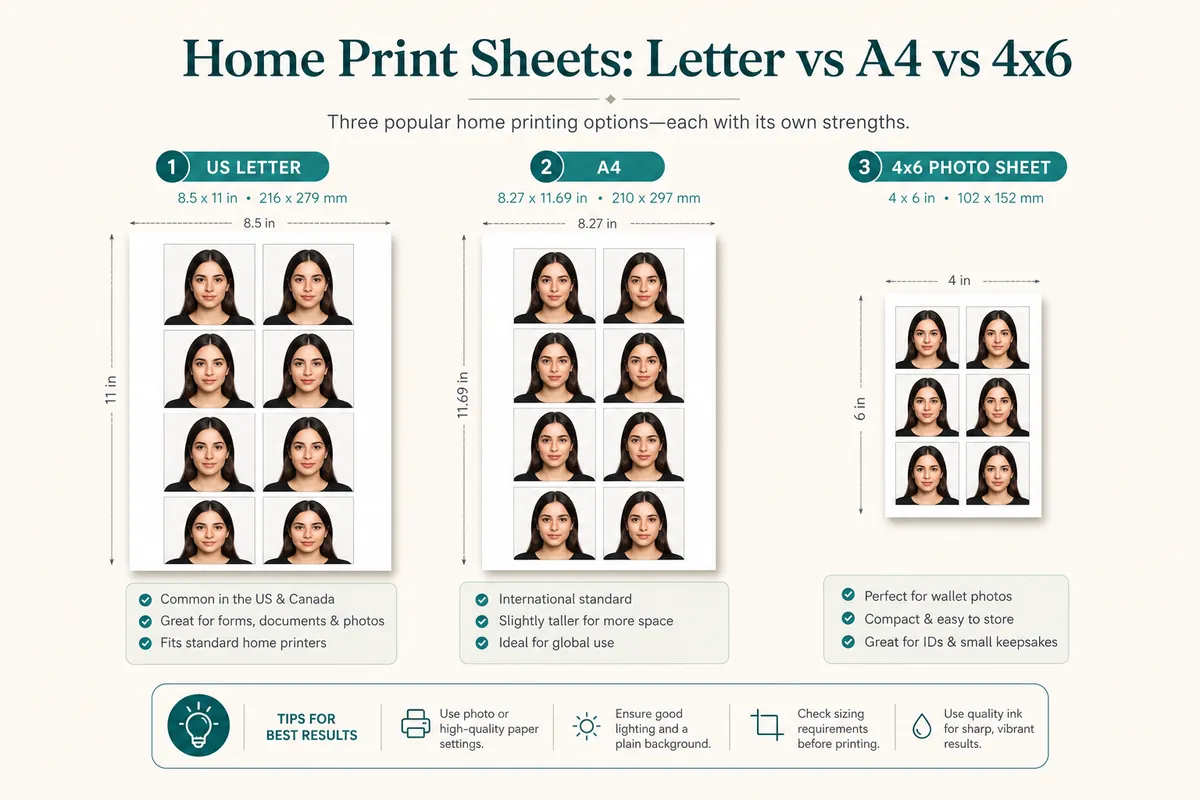
Layouts after crop include: single photo; portrait 3.5×5 / L-size, 4×6 / 10×15 cm, 5×7, 8×10, Letter, A5, A4; landscape 5×3.5, 6×4, 7×5, 10×8, Letter landscape, A5 landscape, A4 landscape. Preview shows how many 35×45 copies fit.
High-street kiosks often want 6×4 / 4×6. Home printers in the UK usually take A4. Never mix a Letter layout with A4 paper—the scale will be wrong.
- Single photo — one passport-size image
- Inch sheets: 4×6 / 10×15 cm and listed portrait/landscape sizes
- ISO sheets: A4, A5 (and Letter only when loaded)
- Always photo-quality paper at 100% scale
Packing paper applications without bent corners
Place prints between cardboard so they do not bend in the envelope. Do not staple through the face. Follow the form checklist for how many photos and where they sit.
Humidity and stacking wet prints smear ink. Dry fully before packing. Keep a spare pair until HM Passport Office accepts the application.
Do not add decorative stickers. Do not laminate. Store curled prints under a light book overnight before you post.
Troubleshooting bad UK prints
Wrong size after cutting → reprint at 100% with the correct sheet layout; measure again.
Head height out of 29–34 mm → re-crop with UK guides; do not trim unevenly by hand.
Colour cast or soft detail → better source file or a high-street lab; avoid beauty filters.
- Fit-to-page enabled in the print dialog
- Letter layout printed on A4 (or the reverse)
- Office paper instead of photo paper
- US 2×2 sheet submitted for a UK form
- Cutting before ink is dry
Ready to crop your photo?
Free online tool—pick your country template (US 2×2 or UK 35×45), align your head, and download. No account needed.
Need a print layout, not eight copies of one crop?
Use the free print sheet composer when photos are already sized—or when family members share one drugstore sheet. Same document size per sheet.